User Profile Management
The My Profile section allows users to manage their personal information, account settings, and platform consents. This screen helps users stay in control of their Forest Stack identity and preferences. Key sections include:
User Details
- Displays basic profile information:
- First Name
- Last Name
- Email ID
- Edit these fields by clicking Edit Profile (top right) and save with Save Changes
Account Settings
- Get client credentials for integrating Forest Stack datasets programmatically
- Change Password for account security
- Delete Account to permanently remove the user from Forest Stack.
- Organisation manager, users have an option to transfer ownership of their uploaded assets before deleting their account.
Consent Management
- Tracks user agreements for:
- Privacy Policy Consent: View or revoke consent for personal data processing
- Terms of Service Consent: View or revoke agreement to the platform's terms
Users should regularly visit this section to keep their profile updated, manage their access, and ensure continued compliance with Forest Stack policies.
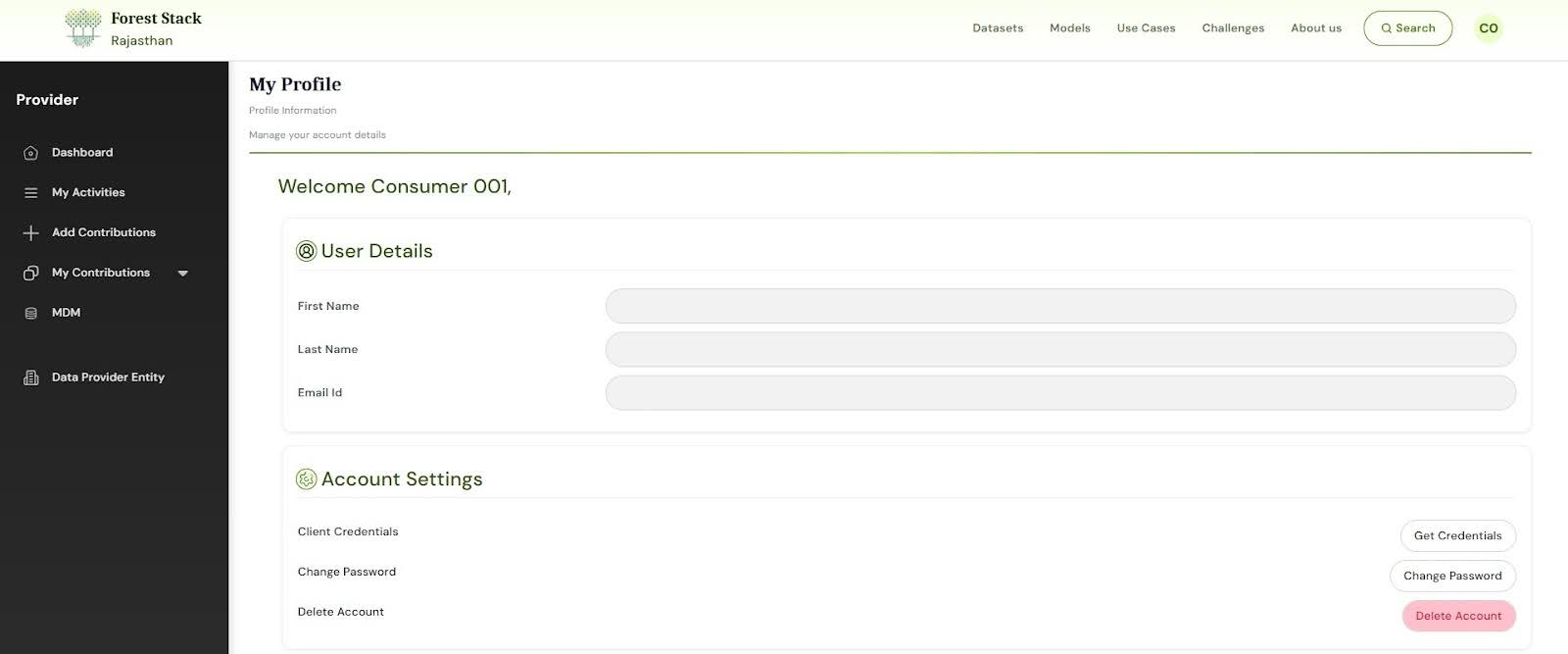 My Profile Section