Joining Organisation
To publish Datasets, Models or Use cases on Forest Stack, users must Join a Data Provider Entity. By affiliating with an approved Data Provider Entity—such as a government department, startup, research institute or private enterprise—users can gain the provider role and associated permissions to upload and manage assets under that Data Provider Entity’s governance. This ensures accountability for all published content.
Following are the steps to join an already registered organisation on the platform.
Step 1: Click on Want to become a Data Provider? Option from the dashboard.
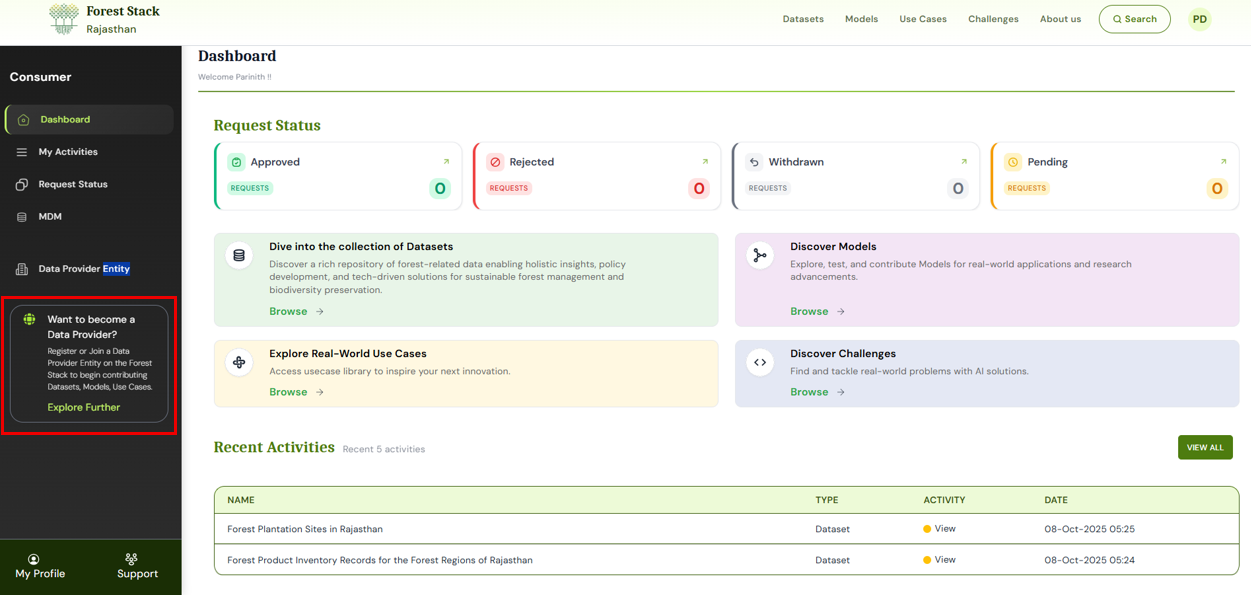
Accessing Join Data Provider Entity Option from the dashboard
Step 2: You’ll be redirected to the Want to become a Data Provider? form.
Step 3: From the dropdown, select your Data Provider Entity from the list of registered entities.
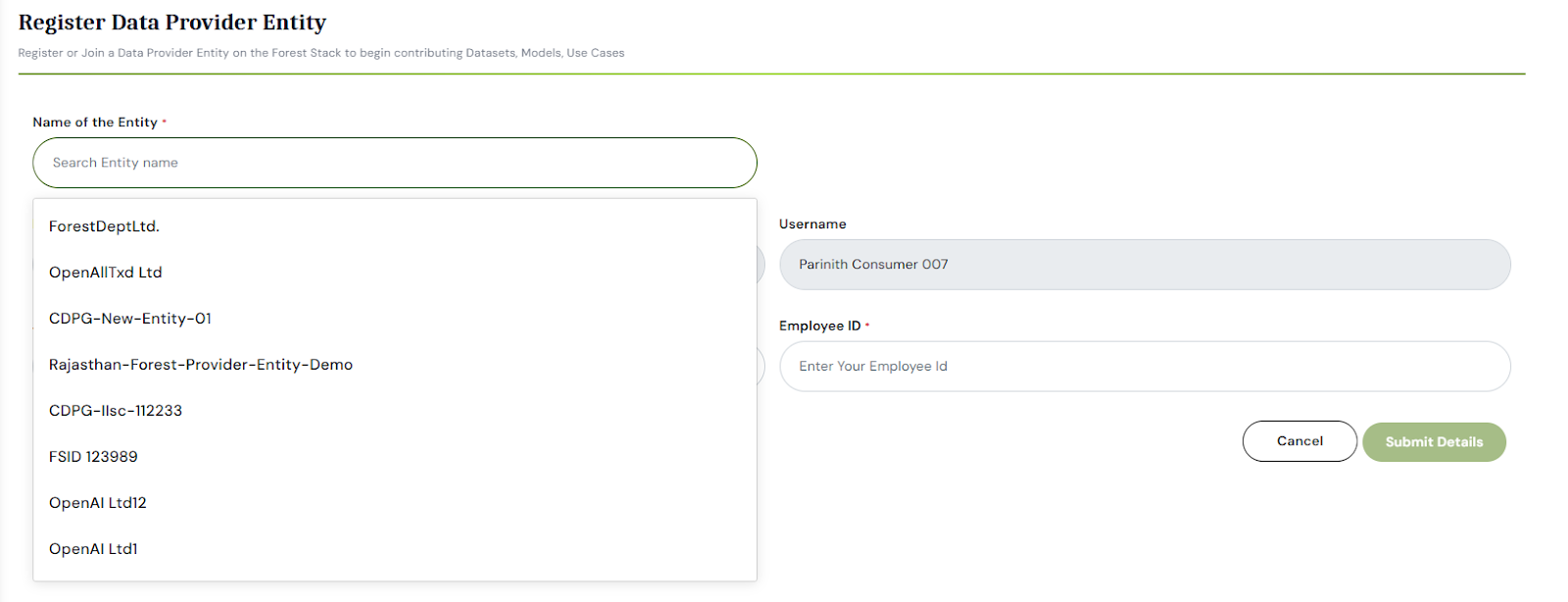
Selecting Your Data Provider Entity
Step 4: Fill in your role details:
- Job Title: Enter your current designation
- Employee ID: Enter your official employee ID associated with the Data Provider Entity.
Step 5: Click Submit Details once all required fields are completed.
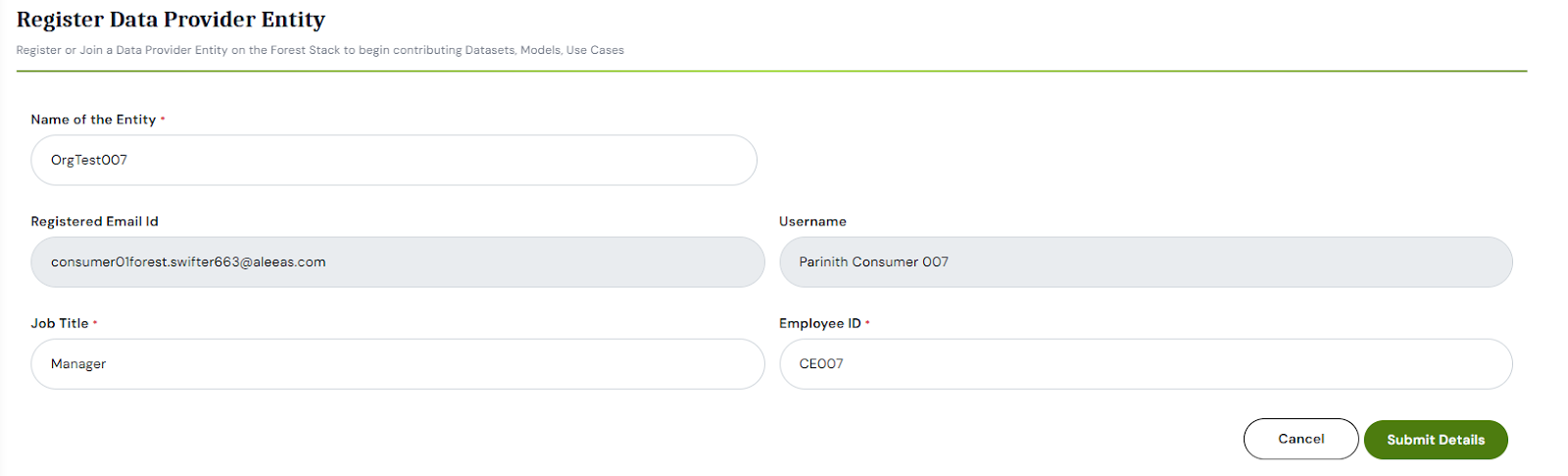
Entering Job Title and Employee ID
Step 6: After submission, your request will be sent to the Organisation Manager for review. Once approved, your user profile will be affiliated with the chosen Data Provider Entity.